Imagine a relaxed evening on the patio: the grill is sizzling and soft colored lights set the mood. That’s exactly what Govee’s outdoor lighting aims to deliver. These smart LEDs bring style, atmosphere, and practical control to gardens, facades, and pool areas—whether you’re hosting friends or winding down with a drink.
Product lineup I tested
I tested two outdoor spotlight types from Govee: RGBWW LED Govee Outdoor Spotlights 2 and RGBICWW Govee Flood Lights 2. The Outdoor Spotlights 2 come two per package. In my setup, I used two packs of Outdoor Spotlights 2 (four lights total) plus one pack of Flood Lights 2 (four lights), for eight lights in all.
Key features and specs
Both products are controlled through the Govee Home app over Bluetooth or Wi‑Fi, and they support voice control via Siri, Google Assistant, and Alexa. They are Matter compatible for easier smart‑home integration.
Color capabilities are broad: 16 million colors with RGBWW or RGBICWW tech, which reproduces a range of white tones from warm to cool (2,700 to 6,500 K). The lights have an integrated microphone for music sync and offer 4 or 6 rhythm music modes. You can schedule them with timers tied to sunset and sunrise.
Longevity is rated at 50,000 hours. Ingress protection differs by model: IP66 for Outdoor Spotlights 2 and IP67 for Flood Lights 2. Important caveat: the supplied power adapter is not waterproof and requires protection, ideally in a weatherproof junction box you can buy at any hardware store.
Brightness is 1,000 lumens for the Outdoor Spotlights 2 and 750 lumens for the Flood Lights 2. Operating temperature is rated from minus 20 °C to 40 °C, making them suitable for winter use.
Installation and setup
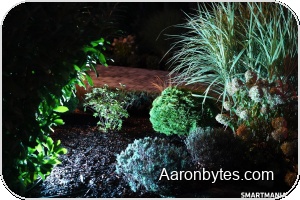
Wiring the lights is straightforward, and a beginner can handle it. In my case, connecting cables to all eight lights took under 10 minutes. The trickier, time‑consuming part is placement. Planning where each fixture should go to best illuminate a facade, garden, or pool edge took me almost four hours.
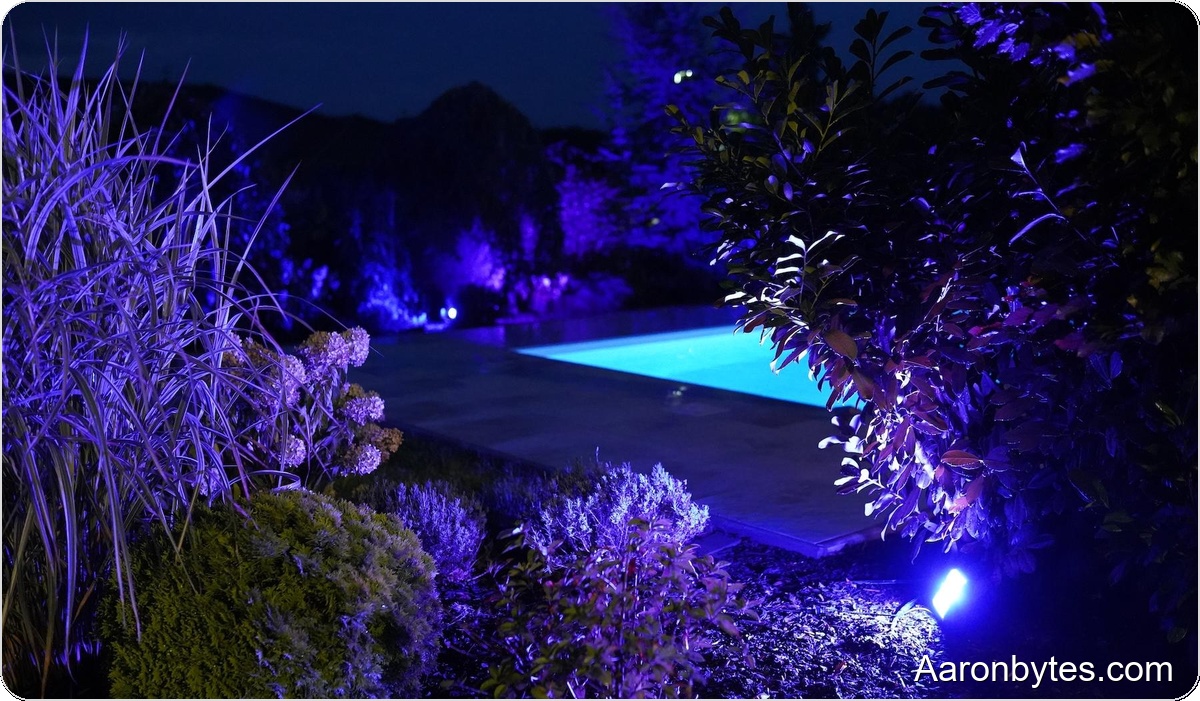
I installed the lights after sunset to fine‑tune aim and color. I kept adjusting positions late into the night until I was satisfied. The result exceeded my expectations and complemented the outdoor pool lighting nicely.
Before buying, I had an electrician install an outdoor outlet box for the Govee adapters. Despite the lights’ water resistance, you must protect the included adapter from moisture by placing it inside a sealed box.
App, automation, and smart‑home integration
I have used Govee products at home for years, and the Govee Home app has visibly improved over time. The app now provides the features I want: profileable scenes, scheduling, grouping, and music synchronization via the built‑in microphone.
Because of Matter support, Govee lights integrate cleanly into broader smart‑home systems. I control mine with Home Assistant after enabling LAN access in the Govee app. I created an automation that turns the lights on 30 minutes after sunset and off at midnight, or when my TV powers down.
If you mix different light types, like my spotlights and flood lights, create a group in the Govee app to control them as one unit. That lets you change color scenes and brightness across all fixtures with a single command.
Practical use and impressions
Combining the two light types makes it easy to shape mood: subtle pool backlighting one moment, vivid color effects for a backyard barbecue the next. Build quality and weather resistance feel solid, but remember the adapter protection requirement.
The Govee Home app is a major highlight. It offers deep customization, automation, and device grouping. With Matter and Home Assistant compatibility, these lights fit into a modern smart home just as easily as they do a standalone patio setup.
For anyone looking to upgrade garden or facade lighting, Govee’s outdoor fixtures deliver a strong blend of style, function, and user friendliness. Based on my testing, I can confidently recommend them.