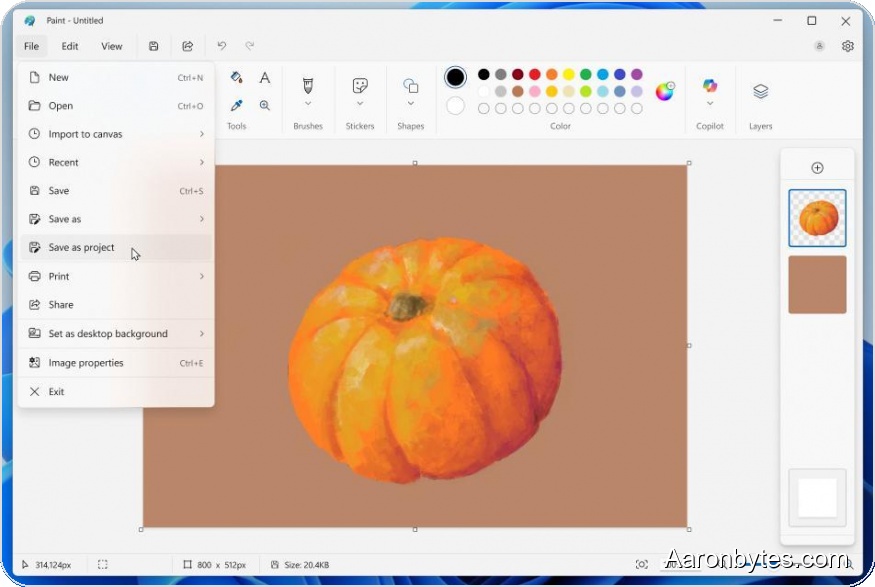
Microsoft is continuing to restore and expand features in the classic Paint app it once intended to retire. The next update adds the ability to save in-progress work and introduces an opacity slider for drawing tools.
The new save feature lets you store multi-layer projects in a new .PAINT format so your layer data is preserved. You can reopen those projects in Paint later, even on a different device, and pick up right where you left off.
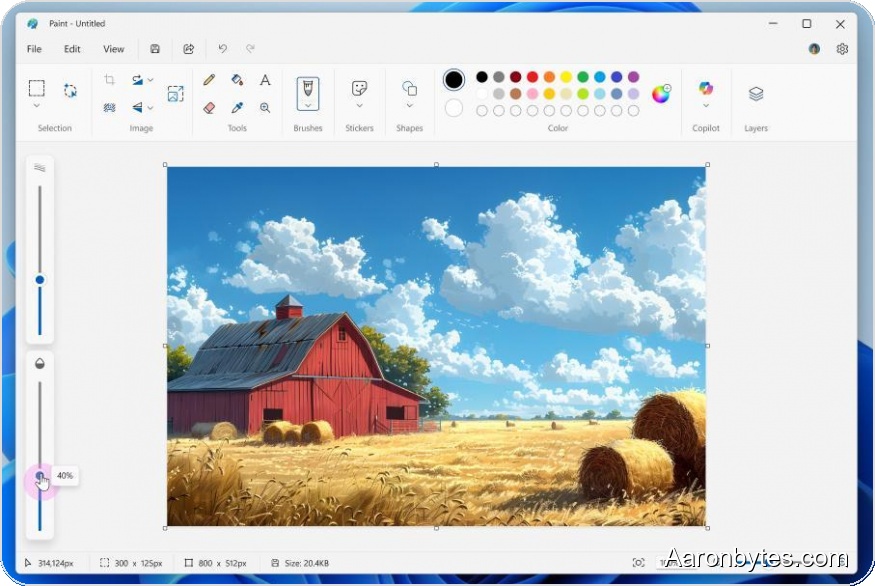
Alongside project files, Paint now includes a transparency slider for pencils and brushes. That makes strokes and gradients more natural and gives artists finer control over blending while sketching or painting.
Snipping Tool gets Quick Markup and faster sharing
Microsoft’s Snipping Tool widget is adding a Quick Markup mode that lets you edit an area before actually capturing it. You select the region to crop, use a palette of tools—pen, highlighter, eraser, shapes and emoji—to annotate or edit that area, and then take the screenshot with your edits already applied.
The tool also adds new quick-action buttons for Share, Visual Search, and Ask Copilot to streamline common workflows.
Notepad adds AI on Copilot+ PCs
Notepad is getting AI features on Copilot+ PCs that don’t require a subscription. The local language model powers most of the functionality, while subscribers can opt to use cloud-based models for additional capabilities.
These changes continue Microsoft’s broader push to fold AI and modern editing features into longstanding Windows utilities rather than replace them outright.