

Why Most AI Content Sounds Dead (And How to Fix It)?
According to a 2025 Gartner report, knowledge workers waste an average of 4.2 hours per week fighting ineffective software tools.
That’s 200+ hours a year lost time that no one pays you back for. If you’re a content creator, those 200 hours could have been 20 video scripts, 40 optimized thumbnails, or a whole content strategy that actually grows your channel.
I’ve spent the last three years building and testing AI content workflows. Not as a casual experiment, I’ve managed production pipelines for seven-figure channels, trained editors across three continents, and personally written over 1,000 AI-assisted scripts.
Here’s what I’ve learned: the difference between content that flops and content that compounds isn’t the AI tool. It’s the workflow around it.
Most people start by asking, “Which AI tool should I use?” That’s the wrong question. The right question is, “What should the AI do, and what should I do?” Until you separate those two things, you’ll keep producing generic content that neither ranks nor converts.
This guide is built on the workflow I use daily. It covers brainstorming, drafting, editing, and publishing. I’ll show you exactly where I use AI, where I don’t, and why that split matters more than any single tool.
Which Workflow Fits You?
Not everyone needs the same setup. Here’s a quick comparison to help you choose your starting point.
| If you want… | Choose… | Why |
|---|---|---|
| Maximum control, zero subscriptions | Manual workflow with Claude/ChatGPT + free tools | Good for learning, but slow. Expect 6-8 hours per video. |
| Speed + authenticity on a budget | Claude/ChatGPT for scripts + ElevenLabs for voice + free thumbnails | Balances cost and quality. ~$40/month. You still edit and produce manually. |
| Full automation, team-scale output | Specialized platform (AI Master, Synthesia, etc.) + contracted editor | Best for 5+ videos/week. $200-$500/month plus editor costs. |
| Zero hands-on work | Done-for-you service like AI Master’s DFY tier | Skip the learning curve. Costs $1,500-$5,000/month depending on volume. |
Your choice depends on one thing: how you value your time. If you can trade $75 to reclaim 8 hours of editing, that’s a good trade. If you’re still learning the craft, a manual is better.
Quick Start — Build Your AI Workflow in 20 Minutes
Here are three setups that cover 80% of creators’ needs. Pick the one that matches your budget and ambitions.
1. The Solo Creator Starter ($47/month)
Tools: Claude Pro ($20) + ElevenLabs Instant Clone ($5) + Canva Pro ($13) + free transcription via Otter.ai
What it covers: Script generation, basic voiceover, simple thumbnails. You edit video in free software like DaVinci Resolve.
Upgrade when: You produce more than 8 videos/month or need professional voice cloning.
2. The Professional Pipeline ($97/month)
Tools: Claude Pro ($20) + ElevenLabs Professional Clone ($22) + HeyGen Starter ($24) + Canva Pro ($13) + Descript ($24)
What it covers: Full script-to-voice-to-avatar pipeline. Record voice notes, generate scripts, edit in Descript, and produce with an avatar.
Upgrade when: You need bulk generation or team collaboration features.
3. The Scale Engine ($200+/month)
Tools: Dedicated platform like AI Master or Synthesia Studio ($99-$300) + professional clone ($22) + freelance editor ($75/video)
What it covers: Everything automated. A human editor assembles the final video. You supply expertise and voice notes.
Upgrade when: You want 20+ videos/month with consistent quality.
The most common mistake is buying a pro tool before you have a working workflow. Start with #1, master the process, then upgrade.
Step 1: Define Your Channel’s DNA (The Step Everyone Skips)
Here’s a test. Ask ChatGPT to write a script for “Top 10 AI Tools for Content Creators.” The first result will be fine. Generic, but fine.
Now ask it to write a script for “Top 10 AI Tools for Content Creators that actually save time” with the instruction Write like a skeptical power user who has tested every tool. The result changes completely.
That second result is what you get when you define your channel’s DNA.
Why this matters: Most AI content fails because the AI has no identity. It writes in the voice of the internet—polite, neutral, forgettable. YouTube thrives on personality. Even faceless channels have a distinct tone. Your system prompt is the single best leverage point for fixing this.
What goes into a channel DNA prompt:
- Niche: Not “technology.” “AI tools for solo creators and freelancers.” Narrower is better because the AI can reference specific use cases.
- Host persona: Write this like you’re telling a ghostwriter about the person they’re writing for. “Former SaaS product manager, now AI consultant. Explains complex tools with kitchen analogies. Skeptical of hype. Cites real tests.” Without this, every script sounds like the same robot.
- Products: If you sell anything (course, consulting, software), describe it here. The AI will naturally weave mentions into scripts without feeling like an ad.
- Voice guidelines: Be specific. “No corporate jargon. Never say ‘unlock the power of.’ First person always. Short sentences. Show don’t tell.”
- Compliance rules: If your niche has regulations (health, finance, legal disclaimers), bake them into the system prompt. This is your safety net.
How to set this up in practice:
If you use Claude, create a dedicated Project. Paste your channel DNA as the Project Instructions. Every conversation inside that project inherits this context automatically.
In ChatGPT, you can do the same with Custom Instructions, but it’s less reliable across sessions.
If you use a specialized platform like AI Master or Synthesia, this is usually called “Brand Voice” or “Channel Profile.” The principle is identical, but the system injects it into multiple agents automatically.
The more constraints you add, the more you narrow the AI’s creative range. If your tone is too tightly defined, the AI may produce repetitive content. Leave room for variation. Think of your DNA prompt as guardrails, not a cage.
Step 2: The Brief That Actually Makes AI Sound Like You
Most creators jump straight to script generation with a title and a vague idea. That’s why the results feel hollow.
The brief format that works:
Before you ask the AI to write anything, give it these four things:
- Problem: What specific pain are you solving? Not “AI is confusing.” Try “People waste $50 a month on AI subscriptions they use at 10% capacity.”
- Promise: What will the viewer walk away with? “A side-by-side comparison of 10 tools with scores across five categories” beats “Learn about cool AI tools.”
- Audience: Who is this for? Tighten this. “Freelance writers who want to automate research” is better than “Content creators.”
- References: This is the power move. Attach transcripts of competitor videos that performed well on the same topic. The AI will understand structure, pacing, and what’s been done before. More importantly, attach your own voice notes or notes.
A quick example of a solid brief:
Problem: Freelancers have too many AI tools and no system to decide which ones matter.
Promise: A 5-category scoring system comparing 12 tools with real use-case examples.
Audience: Solo freelancers with 6 months+ of experience, frustrated by tool overload.
References: [Attached 3 top-performing "AI tools" video transcripts] + [Voice note attached]
This brief takes 5 minutes to write. It saves 2 hours of rewriting because the AI gets context right the first time.
Step 3: Voice Recording — The Secret Weapon
Last week, I recorded a 14-minute voice note while driving to a coffee shop. That note became the foundation for a script that got 40,000 views in its first week. The AI wrote the structure. My voice note provided the substance.
Here’s why this works: AI can write structure, but it can’t write your experience. When you record yourself talking about a topic, naturally rambling, telling stories, sharing specific numbers, the AI has raw material that’s uniquely yours. The output sounds like you because the input is you.
How to record effective voice notes:
- Use your phone’s voice recorder or any recording app. Don’t overthink the tool.
- Talk for 10-20 minutes. Don’t try to be linear. Let yourself ramble.
- Cover: specific examples, numbers, things that surprised you, mistakes you made, opinions you hold.
- Don’t read from a script. The value is in your natural speech patterns, filler words, and emphasis.
What to do with the recording: Transcribe it (Otter.ai, Whisper, or your phone’s built-in transcription). Paste that transcription into your AI conversation as reference material. The AI now has your authentic voice and can build a structured script around it.
One thing that surprised me when I started doing this: the voice notes I thought were too messy produced the best scripts. The tangents and half-formed thoughts gave the AI more unique angles than any polished outline ever did.
Step 4: Script Generation & Editing (Yes, You Still Edit)
Here’s the truth that tool vendors don’t tell you: AI scripts are drafts. Good drafts, but drafts nonetheless.
I use a four-pass editing process that takes 20-30 minutes per script. It’s non-negotiable.
Pass 1: Read aloud. If a sentence feels weird when spoken, it will feel worse on camera. Rewrite it. Listen for rhythm, not correctness.
Pass 2: Fact check. AI hallucinates numbers, dates, and feature claims. I verify every specific claim against the source tool or documentation. This caught three errors last month alone, including a wrong pricing tier that would have embarrassed the channel.
Pass 3: Cut ruthlessly. AI tends to over-explain. If removing a sentence doesn’t change the meaning, cut it. YouTube scripts should be lean. No filler.
Pass 4: Mark delivery modes. I highlight sections for:
- Human voiceover (yellow)—used for hooks, emotional moments, personal stories, and calls to action. About 10-15% of the script.
- AI voice clone (blue)—the bulk of the script: explanations, walkthroughs, data breakdowns. 50-60%.
- Avatar speaking (purple)—transition moments, direct-to-camera statements, section intros. 25-35%.
Why this split matters: Human voice carries authenticity. AI voice carries consistency. Avatar carries visual engagement. Mixing them makes the video feel produced, not automated. The key rule: never open with the avatar. First impressions need real energy. Always start with a human voice or a strong voiceover hook.
Step 5: Voice Cloning & Avatars — When to Use What?
Voice cloning is where people get stuck. They want it perfect on the first try. Here’s what actually works.
Recording for voice cloning:
- Use a decent USB mic (Shure SM7B, Blue Yeti, or even a $50 audio interface works).
- Record in a quiet room. A closet full of clothes absorbs sound reflections better than any studio foam.
- Record for at least 30 minutes of clean audio. No background music. No other voices. No keyboard clicks.
- Vary your energy: some calm and explanatory, some excited and fast. The AI needs your full range.
ElevenLabs: v2 vs v3
- v2 copies your voice more precisely, but if you speak with an accent, that accent carries over.
- v3 sounds cleaner and more polished. The accent softens. For most English-language channels, v3 is better because it sounds less like a recording and more like a broadcast.
Avatars: why most look fake
The problem is static avatars that stare at the camera. The fix isn’t better AI, it’s multiple angles. Use 3-4 different avatar versions:
- Looking at the camera.
- Looking at a laptop screen.
- Slightly different room or lighting.
Switching between these angles creates the illusion of natural movement. When you combine this with AI voice that has varied delivery, the result passes the “uncanny valley” test for most viewers.
When not to use avatars: If your content is opinion-heavy or relies on emotional connection, skip the avatar. Use your real face or don’t show yourself at all. Avatars work best for tutorials, explanations, and list-style content where the expertise is the star, not the personality.
Step 6: Production — The Human-in-the-Loop
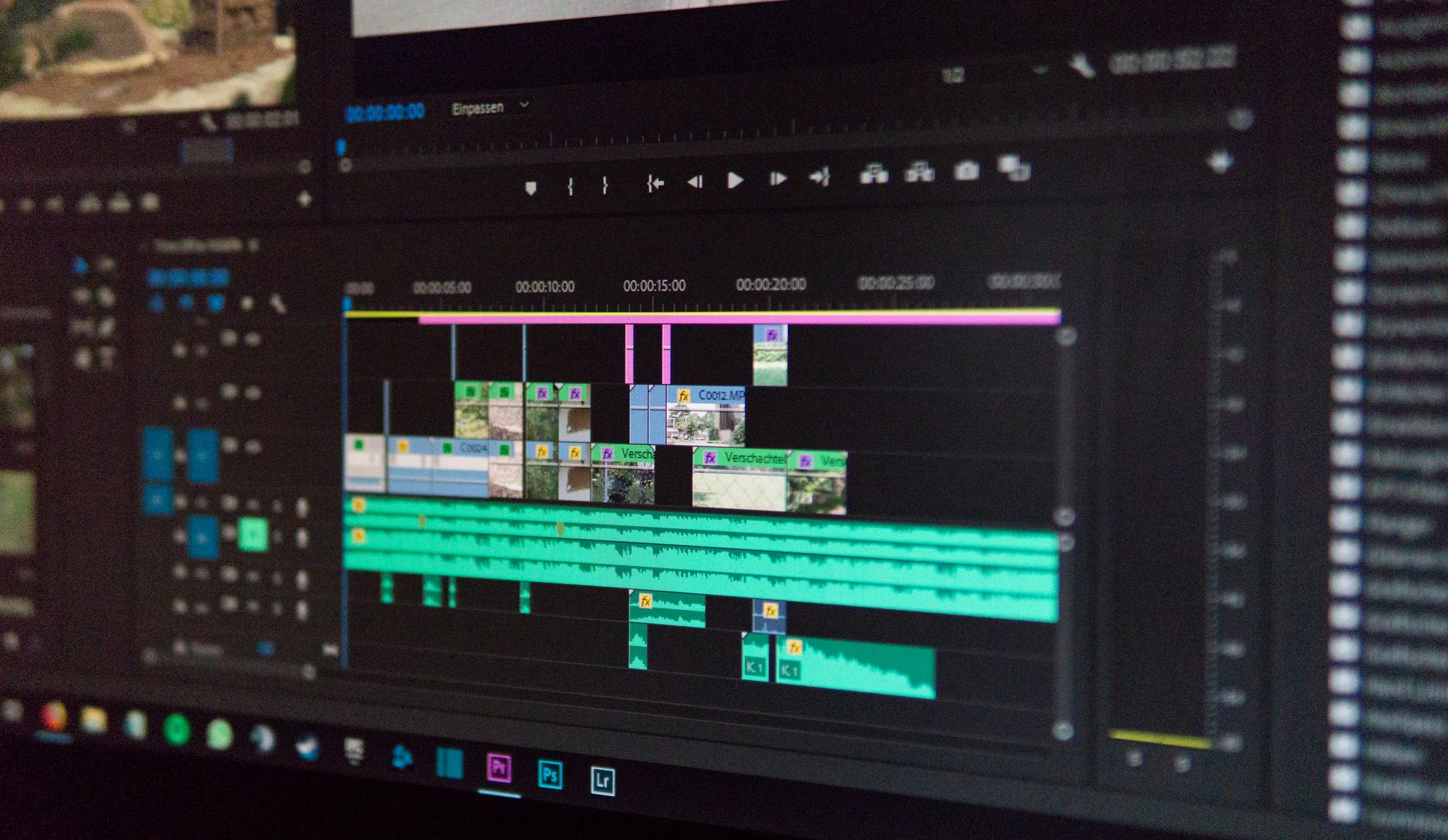
AI can’t edit videos. Not really. Not yet.
Yes, tools like Descript and Runway have auto-editing features. They’re useful for rough cuts, but for YouTube-quality content, you need a human editor who understands pacing, story, and retention.
The production workflow I use:
- AI generates all assets: script, voiceover files, avatar clips, thumbnail options.
- The editor assembles everything using templates and a style guide.
- Human producer reviews pacing, removes boring sections, and adds visual interest.
- Editor revises based on feedback.
- Straight to publishing.
If you outsource editing:
- Hire from India or the Philippines—English-speaking markets with experienced YouTube editors who charge $50-$100 per video.
- Provide templates and a style guide. Don’t expect them to figure out your channel’s vibe on their own.
- Budget 24-48 hours turnaround per video.
The math: 8 hours of your editing time costs you 8 hours of revenue-generating work. Paying someone $75 to do it and using those 8 hours to plan five more videos is a no-brainer. But only if you have the systems in place to delegate. Don’t hire an editor until you have a repeatable workflow.
Step 7: Thumbnails & SEO in 10 Minutes Flat
Thumbnails used to take me 45 minutes per video. Now I spend 5 minutes using a simple technique.
The technique:
- Grab 3-4 thumbnails from top-performing videos in your niche (500K+ views on similar topics).
- Upload your assets: logos, faces, product screenshots.
- Use a prompt that focuses on composition, not pixel-level detail.
A universal prompt that works:
A thumbnail for a video titled "[title]". Show [main subject] with a [reaction/perspective that implies curiosity].
Use bold text overlay "[keyword]". Dramatic lighting, high contrast. Dark background.
References: [attached screenshots]
Generate 9-10 options. Pick the best. Adjust text in Canva if needed. Done.
SEO in 5 minutes:
Title rules: under 70 characters, front-load the main keyword, include a curiosity element or number.
The first 125 characters of the description are what show in search results. That’s your headline. After that: summary of what viewers learn, relevant links, and naturally placed keywords.
Tags: mix broad category tags with specific long-tail phrases. For an AI tools video: “AI tools” (broad) + “best AI tools for content creators 2026” (long-tail).
The most important SEO insight: Don’t keyword-stuff. Match search intent. When someone types “AI tools for content creators,” they want comparison and recommendations. Your title and description should promise exactly that.
The Real Cost: Tools, Time, and Trade-offs
Let’s talk money honestly.
Monthly tool costs if you build your own pipeline:
- Claude Pro: $20.
- ElevenLabs Professional Clone: $22.
- HeyGen Starter: $24.
- Canva Pro: $13.
- Descript: $24.
- Otter.ai: $17.
Total: $120/month
If you use a specialized platform (like AI Master or Synthesia):
- $99-$300/month (includes most of the above)
If you outsource video editing:
- $75-$150 per video
Time investment per video:
- Manual workflow: 8-10 hours
- AI-assisted workflow: 3-4 hours (including editing pass)
- Full automation with editor: 1-2 hours (review only)
The more you automate, the more you rely on having good reference material. If you don’t record voice notes or provide detailed briefs, automation makes generic content faster, not better. The ceiling of your quality is set by your expertise, not your tools.
Frequently Asked Questions
How much would this entire toolkit/workflow cost monthly?
It depends on your setup. A solo creator using Claude Pro ($20) + ElevenLabs Instant Clone ($5) + Canva Pro ($13) + free transcription runs about $38/month. A professional with HeyGen ($24) + Descript ($24) + professional clone ($22) + Otter.ai ($17) runs about $107/month. If you use a full-platform solution like AI Master or Synthesia, expect $99-$300/month.
Add editor costs if you outsource ($75-$150 per video). Most creators start around $50/month and scale up as they see results. A mistake I see people make is buying all the tools up front before they have a working workflow. Start minimal, then add.
Which voice clone sounds most natural?
ElevenLabs v3 is the benchmark for natural-sounding AI voice in English. It handles intonation, breathing, and emphasis better than competitors. For non-English languages, ElevenLabs also works well, but accent preservation depends on your source recording.
The key is clean, varied audio—30+ minutes of recording with different emotional tones. A mistake I see is people recording 2 minutes of flat reading and expecting professional quality. The clone quality is directly proportional to your input quality. If you’re comparing voice clones, ElevenLabs Professional Clone beats both Play.ht and Respeecher for general use.
Is this workflow suitable for short-form content like TikTok/Reels?
Yes, but adapt it. Short-form scripts need tighter hooks (first 2-3 seconds), faster pacing (no setup), and a single insight per video. The same channel DNA and brief system works, but you need to reduce the AI’s output length. I create short-form versions by taking the best 15-second segment from a longer script and rewriting the hook.
The avatar works less well in short-form because viewers notice the CGI quality faster. Stick to voiceover with b-roll or on-screen text for short-form. The production workflow is simpler because you skip most of the editing passes. Total time per short is about 15 minutes.
What happens when YouTube or other platforms start penalizing AI content?
This is a real concern, but the penalty criteria aren’t “AI or not AI.” YouTube’s terms target spammy, low-quality, or misleading content, not tool choice. If your content provides value, shows genuine expertise, and follows platform guidelines, you’re fine.
The risk is using AI to generate content in niches where you aren’t an expert. An AI-written script about finance from someone with no finance background will get flagged as misleading. An AI-assisted script by an actual financial advisor adds value and passes review. The key: your expertise is your license. Don’t produce content outside your domain just because AI can write it. That’s where the risk lives.
The future of content creation isn’t AI replacing creators. It’s creators who understand their own expertise using AI to amplify it. The tools change every quarter.
The workflow principles don’t. Build your system around the principles, and you’ll never need to rebuild from scratch when the next shiny tool arrives.